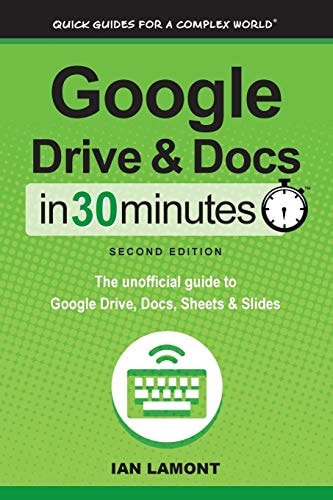
Google Drive and Docs in 30 Minutes (2nd Edition): The Unofficial Guide to the New Google Drive, Docs, Sheets and Slides
0
0
As an Amazon Associate and affiliate partner, Menrva Books earns from qualifying purchases. Learn more
Author Description
All-new 2nd Edition of this popular Google Drive and Google Docs tutorial, updated in 2018! Do you have 30 minutes to spare? It's all you'll need to get up to speed with Google Drive, Google Docs, Google Sheets, and Google Slides, the free online productivity suite and Microsoft Office alternative. Millions of people use the software every day on their computers and mobile devices. You, too, can use Drive, Docs, Sheets, and Slides to perform the following tasks: Write reports and letters with Google Docs Crunch numbers and create online data entry forms using Google Sheets and Google Forms Use the Google Drive app and the Google Docs app on your Android phone or tablet, or iPhone or iPad to create and edit files on the go Give presentations online or on your phone or tablet with Google Slides Collaborate online with classmates and colleagues Convert Microsoft Office documents to Google formats, and vice versa Perform limited editing of Microsoft Word, Excel, and PowerPoint documents Print documents, drawings, and spreadsheets using Google Cloud Print Revert to earlier versions of files using Google Drive Export PDFs Make pie charts, bar charts, and simple tables Use Google Forms to gather data Publish documents and spreadsheets online The second edition of this popular guide covers the new Google Drive basics as well as the updated mobile and desktop interfaces for Docs, Sheets, and Slides. There are new sections on Google Forms and Google Sites. The tone of this Google Drive book is friendly and easy to understand, with lots of step-by-step instructions and examples and nearly 50 screenshots. The guide can be used by anyone with a PC, Mac, or Chromebook. Google Drive & Docs In 30 Minutes also includes instructions for using Drive, Docs, Sheets, and Slides on iPhones, iPads, and Android phones and tablets. In addition to
Menrva's Summary
THE THESIS
This guide provides a concise, step-by-step tutorial for mastering Google Drive, Docs, Sheets, and Slides within a 30-minute timeframe. The book is designed for users of all levels, from beginners to those seeking to update their skills, and covers the essential functionalities of Google's free online productivity suite. It details how to create and edit documents, manage spreadsheets, design presentations, and collaborate with others, offering practical instructions for use across various devices and operating systems.
THE SCOPE MAP
- Comprehensive coverage of Google Drive, Docs, Sheets, and Slides.
- Step-by-step instructions for creating and editing documents, spreadsheets, and presentations.
- Guidance on collaboration features for classmates and colleagues.
- Instructions for using the apps on Android and iOS mobile devices.
- Methods for converting documents between Google and Microsoft Office formats.
- New sections on Google Forms and Google Sites.
- Nearly 50 screenshots to illustrate procedures.
THE AUTHORITY PERSPECTIVE
This guide is presented as an accessible and efficient resource for learning Google's productivity suite. The author's approach emphasizes brevity, aiming to bring users up to speed in just 30 minutes. The inclusion of numerous screenshots and step-by-step instructions suggests a focus on practical application and ease of use for a broad audience, including PC, Mac, and Chromebook users, as well as mobile device users.
Page Count:
114
Publication Date:
2015-01-27
Publisher:
I30 Media Corporation
ISBN-10:
1939924316
ISBN-13:
9781939924315
Science & Technology
Non-Fiction
How To
Productivity Software
Technology
Community Tags
Similar Books