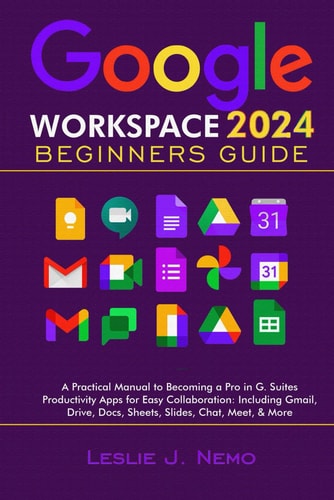
Google Workspace 2024 Beginners Guide: A Practical Manual to Becoming a Pro in G. Suites Productivity Apps for Easy Collaboration: Including Gmail, Drive, Docs, Sheets, Slides, Chat, Meet, & More
0
0
As an Amazon Associate and affiliate partner, Menrva Books earns from qualifying purchases. Learn more
Author Description
Become an expert in google workspace 2024 updated. The tools in google workspace are a must know in this modern time. From Gmail to Drive to Docs, Sheets, Form, Slides, etc. Mastering this tool will definitely give you an edge over your peers. Sadly some of them may prove difficult to learn…especially for beginners, seniors, and the non tech savvy. If you belong to any of the above-mentioned group, this book has been written with you in mind. The content have been specifically tailored to guide you in a step by step manner, as you explore the apps in google workspace. Inside you will find simple instructions that when followed will turn you into an expert in all the tools in google workspace. Unlock the full potential of Google's productivity suite and take your skills to the next level. Whether you're a business professional, student, or tech enthusiast, this book will empower you to: Set up, customize, and perform basic and advance operations with google workspace apps Manage your email like a pro with Gmail Create stunning presentations with Slides Keep your data secure and accessible Master Gmail, Drive, Docs, Sheets, Slides, chat, and much more Boost collaboration and streamline workflows Enhance security and data management Organize your life with Google’s powerful tools Here is a list of some of the topics covered: Overview of Google Workspace Features Creating a Workspace account Navigating Google Workspace dashboard Features of Gmail Using Filters to Automatically Organize Emails Keyboard Shortcuts Collaborative Gmail Options Accessing Gmail on Mobile Devices How to Set Up a Google Drive Account Google Drive for Mobile Devices Google Drive for Desktop Navigating The Google Drive Interface Customizing the Google Drive Interface Manage your Android Phone Backups Converting Files to PDF Setting Up Google Docs Create a New Document Basic Formatting in Google Docs Adding Headers and Footers Creating and Using Templates Adding and F
Menrva's Summary
THE THESIS
This guide aims to demystify Google Workspace for beginners, seniors, and those less tech-savvy, providing a step-by-step manual to master its productivity applications. The book focuses on practical application, covering essential tools like Gmail, Drive, Docs, Sheets, Slides, and Chat, with the goal of enabling users to manage emails, create presentations, secure data, and enhance collaboration. It breaks down complex features into simple instructions, ensuring users can unlock the full potential of Google's suite and gain an edge in modern digital environments.
THE SCOPE MAP
- Overview of Google Workspace Features
- Creating a Workspace account
- Navigating the Google Workspace dashboard
- Features of Gmail, including filters and keyboard shortcuts
- Setting up and managing Google Drive
- Creating and formatting documents in Google Docs
- Creating presentations with Google Slides
- Utilizing Google Chat and Meet for collaboration
THE AUTHORITY PERSPECTIVE
The book is positioned as a beginner-friendly manual for Google Workspace, specifically targeting individuals who may find the technology challenging, such as seniors or those new to digital tools. Its approach emphasizes step-by-step instructions to build expertise in core applications like Gmail, Drive, Docs, Sheets, and Slides. The content is designed to help users manage their digital lives more effectively, improve collaboration, and enhance data security, offering a practical pathway to proficiency.
Page Count:
171
Publication Date:
2023-01-01
Publisher:
Independently published
ISBN-13:
9798862853759
Self-help
Non-Fiction
Productivity Software
How To
Reference
Computer Literacy
Community Tags
Similar Books











Reader Comments
Share Your Thoughts
No comments yet. Be the first to share your thoughts!