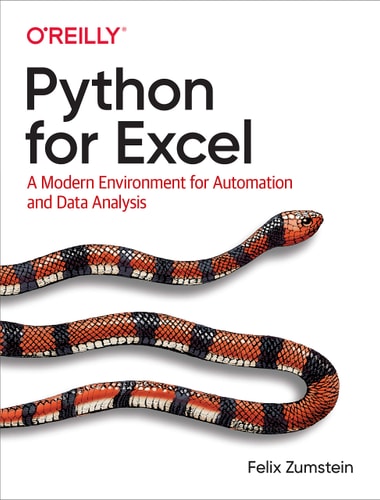
Python for Excel A Modern Environment for Automation and Data Analysis
0
0
As an Amazon Associate and affiliate partner, Menrva Books earns from qualifying purchases. Learn more
Author Description
While Excel remains ubiquitous in the business world, recent Microsoft feedback forums are full of requests to include Python as an Excel scripting language. In fact, it's the top feature requested. What makes this combination so compelling? In this hands-on guide, Felix Zumstein--creator of xlwings, a popular open source package for automating Excel with Python--shows experienced Excel users how to integrate these two worlds efficiently. Excel has added quite a few new capabilities over the past couple of years, but its automation language, VBA, stopped evolving a long time ago. Many Excel power users have already adopted Python for daily automation tasks. This guide gets you started. Use Python without extensive programming knowledge Get started with modern tools, including Jupyter notebooks and Visual Studio code Use pandas to acquire, clean, and analyze data and replace typical Excel calculations Automate tedious tasks like consolidation of Excel workbooks and production of Excel reports Use xlwings to build interactive Excel tools that use Python as a calculation engine Connect Excel to databases and CSV files and fetch data from the internet using Python code Use Python as a single tool to replace VBA, Power Query, and Power Pivot
Menrva's Summary
THE THESIS
This guide introduces experienced Excel users to integrating Python for automation and data analysis, addressing the limitations of VBA and the growing adoption of Python for business tasks. The book is authored by Felix Zumstein, creator of the xlwings package, and aims to equip users with modern tools like Jupyter notebooks and Visual Studio Code. It focuses on leveraging Python, particularly the pandas library, to acquire, clean, and analyze data, thereby replacing traditional Excel calculations and automating tedious tasks. The guide also covers building interactive Excel tools, connecting to databases, and fetching internet data, positioning Python as a comprehensive replacement for VBA, Power Query, and Power Pivot.
THE SCOPE MAP
- Integration of Python with Microsoft Excel for enhanced automation and data analysis.
- Guidance on using modern development tools such as Jupyter notebooks and Visual Studio Code.
- Practical applications of the pandas library for data acquisition, cleaning, and analysis.
- Methods for automating repetitive Excel tasks, including workbook consolidation and report generation.
- Instructions for developing interactive Excel tools powered by Python.
- Techniques for connecting Excel to databases and CSV files, and retrieving data from the internet.
- Strategies for using Python as a unified solution to replace VBA, Power Query, and Power Pivot.
THE AUTHORITY PERSPECTIVE
The book is positioned as a practical guide for experienced Excel users looking to adopt Python for advanced tasks. Its focus on integrating Python with Excel, particularly through the xlwings library created by the author, suggests a hands-on approach to modernizing spreadsheet workflows. The content aims to address the limitations of VBA and leverage Python's capabilities for data manipulation and automation, catering to a user base seeking to enhance their efficiency and analytical power within the familiar Excel environment.
Page Count:
316
Publication Date:
2021-01-01
Publisher:
O'Reilly Media
ISBN-10:
1492081000
ISBN-13:
9781492081005
Science & Technology
Business
Non-Fiction
Spreadsheets
Automation
Programming
Data Analysis
Community Tags
Similar Books