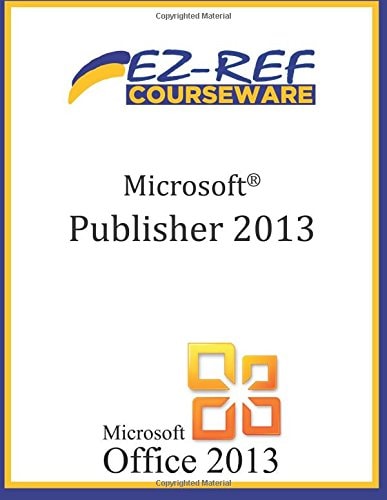
Microsoft Publisher 2013
0
0
As an Amazon Associate and affiliate partner, Menrva Books earns from qualifying purchases. Learn more
Author Description
(B&W) Student reference manual designed for instructor-led computer training. Can also be used as a self-paced tutorial for learning the basic concepts of Microsoft Publisher 2013. To download the exercise files that accompany this title, please visit http://www.ezref.com/exercise-files/ For information regarding unlimited printing with the ability to customize our courseware, please visit our website: www.ezref.com Topics covered in Microsoft Publisher 2013 - One Day (6-8 hours): MS Publisher Basics (Screen, Menu) Quick Access Toolbar, Ribbons & ToolTips Using Help Creating a New Publication Changing Views & Viewing Options Saving, & Opening Files Spell Checker, AutoCorrect Changing Publication Options Inserting/Deleting Pages Page Numbering Headers and Footers Working with Layout and Ruler Guides Printing Files Basic Editing, Deleting, Undeleting, Redoing Formatting Text (Fonts, Point Size, Color) Adjusting Margins/Line Spacing/Alignment Identifying Text Overflow Text Autofit Options Indenting, Centering, Right-Aligning Text Using the Format Painter Adding Bullets and Numbering Using the Ruler The Measurement Toolbar Adding Drop Caps Using the Thesaurus Inserting Date & Time Symbols & Special Characters Copying, Moving & Using the Office Clipboard Working with Layers Adding Text, Graphic and Clipart Objects Working with Tables Adding WordArt, Pictures and Building Blocks Inserting Hyperlinks Editing the Master Page Preparing for Commercial Printing
Menrva's Summary
THE THESIS
This manual serves as a comprehensive guide to mastering Microsoft Publisher 2013, designed for both structured classroom learning and independent study. It covers the fundamental concepts and practical applications necessary to create professional-quality publications. The content progresses from basic interface navigation to advanced features like text formatting, object manipulation, and print preparation.
THE SCOPE MAP
- MS Publisher Basics (Screen, Menu, Quick Access Toolbar, Ribbons & ToolTips)
- Creating New Publications and Managing Files (Saving, Opening, Spell Checker, AutoCorrect)
- Page Layout and Formatting (Inserting/Deleting Pages, Page Numbering, Headers/Footers, Guides, Margins, Alignment)
- Text Formatting (Fonts, Point Size, Color, Indenting, Bullets, Numbering, Drop Caps, Thesaurus, Symbols)
- Working with Objects (Text Boxes, Graphics, Clipart, Tables, WordArt, Pictures, Building Blocks)
- Advanced Features (Master Page, Office Clipboard, Hyperlinks)
- Preparing Files for Commercial Printing
THE AUTHORITY PERSPECTIVE
This reference manual is structured to facilitate learning Microsoft Publisher 2013 through instructor-led training or self-paced study. The detailed table of contents indicates a thorough coverage of the software's core functionalities, from initial setup to print-ready output. The inclusion of downloadable exercise files suggests a hands-on approach to skill development. The manual appears to be a practical tool for users aiming to acquire proficiency in desktop publishing.
Page Count:
140
Publication Date:
2013-12-15
Publisher:
CreateSpace Independent Publishing Platform
ISBN-10:
149923192X
ISBN-13:
9781499231922
Non-Fiction
Computer software
Reference
How To
Community Tags
Similar Books