Word 2007 Formatting
0
0
As an Amazon Associate and affiliate partner, Menrva Books earns from qualifying purchases. Learn more
Author Description
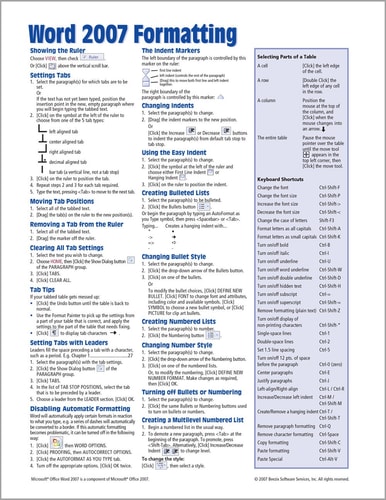
Laminated quick reference guide showing step-by-step instructions and shortcuts for how to use formatting features of Microsoft Office Word 2007 at the intermediate level. The following topics are covered: Showing the Ruler; Setting, Moving, Removing Tabs; Clearing Tab Settings; Setting Tabs with Leaders; Disabling Automatic Formatting; Using the Indent Markers; Using Easy Indent; Creating Bulleted, Numbered, and Multi-Level Lists. Paragraph Breaks vs. Line Breaks; Paragraph Spacing; Line Spacing; Clearing Formatting; Changing Default Font; Using Quick Styles; Using Themes to Format the Document; Creating a Text Box. Inserting a Table; Inserting Rows and Columns within a Table; Changing Column Widths; Merging and Splitting Cells; Centering a Table within the Margins; Changing Text Direction; Moving the Table; Wrapping Text around Tables; Adding Space within a Table; Paragraph/Cell Borders and Shading. Finding and Replacing Text; and Finding and Replacing Text Attributes. Also includes: Lists of Table Selection Shortcuts and Formatting Shortcuts. This guide is suitable as a training handout, or simply an easy to use reference guide, for any type of user. This guide is one of several titles available for Word 2007: Word 2007 Introduction, Word 2007 Formatting, Word 2007 Advanced, Word 2007 Mail Merge & Forms, Word 2007 Templates & Macros.
Menrva's Summary
THE THESIS
This guide provides a comprehensive, step-by-step overview of the formatting features within Microsoft Office Word 2007, aimed at intermediate users. Developed by Beezix Inc., a known provider of software training materials, this laminated quick reference card distills complex formatting functions into easily digestible instructions. It covers essential document layout, list creation, table manipulation, and text find/replace functionalities, serving as a practical tool for users seeking to enhance their document design capabilities.
THE SCOPE MAP
- Instructions for using the Ruler and setting, moving, and removing tabs.
- Guidance on creating bulleted, numbered, and multi-level lists, including disabling automatic formatting.
- Techniques for managing paragraph and line spacing, clearing formatting, and changing default fonts.
- Methods for applying Quick Styles and document themes, and inserting text boxes.
- Procedures for inserting, modifying, and formatting tables, including cell merging/splitting and text direction.
- Detailed steps for finding and replacing text and text attributes.
- Lists of specific Table Selection Shortcuts and Formatting Shortcuts.
THE AUTHORITY PERSPECTIVE
This reference guide is designed as a practical training handout or a readily accessible resource for users of Microsoft Office Word 2007. Its clear, step-by-step instructions and inclusion of shortcuts suggest a focus on efficient learning and application for intermediate users. The structured approach to formatting, lists, tables, and text replacement indicates a utility for anyone needing to quickly master these specific Word functionalities.
Page Count:
2
Publication Date:
2007-01-01
Publisher:
Beezix Software Services
ISBN-10:
193443356X
ISBN-13:
9781934433560
Non-Fiction
Microsoft Office
Reference
Software Training
Word Processing
Community Tags
Similar Books