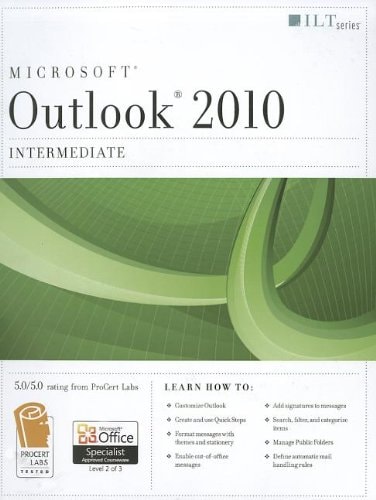
Outlook 2010 Intermediate
0
0
As an Amazon Associate and affiliate partner, Menrva Books earns from qualifying purchases. Learn more
Author Description
Building on the skills and concepts taught in Outlook 2010: Basic, this ILT Series course teaches students how to work more efficiently in Outlook. Students will learn how to customize Outlook, use Quick Steps, create Navigation-pane shortcuts, work with contacts and contact groups, manage address books, customize their messages and signatures, and set up automatic replies. In addition, students will learn how to search various folders, use filters, apply categories, create custom views, and set rules for organizing messages. This course will help students prepare for the Microsoft Office Specialist exam for Outlook 2010 (exam 77-884). For comprehensive certification training, students should complete the Basic, Intermediate, and Advanced courses for Outlook 2010.
Menrva's Summary
THE THESIS
This course teaches users advanced techniques for maximizing efficiency within Microsoft Outlook 2010. Building upon foundational knowledge, it guides students through customizing the application, leveraging Quick Steps, and creating shortcuts for streamlined navigation. The curriculum also covers comprehensive contact management, message customization, and automated response setup, alongside advanced message organization strategies like searching, filtering, and rule-based sorting.
THE SCOPE MAP
- Customizing Outlook interface and settings
- Utilizing Quick Steps for automated actions
- Creating and managing Navigation-pane shortcuts
- Working with contacts and contact groups
- Managing multiple address books
- Customizing message formats and signatures
- Setting up automatic replies (Out of Office messages)
- Advanced message organization: searching, filtering, and categories
- Creating custom views for folders
- Implementing rules for automatic message sorting
THE AUTHORITY PERSPECTIVE
This course is designed as a component of comprehensive certification training for Microsoft Outlook 2010, specifically targeting exam 77-884. It aims to equip users with intermediate-level skills to enhance their productivity and efficiency in managing email, contacts, and schedules. The material is structured to build upon basic knowledge, progressing to more complex features and organizational tools within the software.
Page Count:
192
Publication Date:
2011-01-14
Publisher:
Crisp Publications, Incorporated
ISBN-10:
1426021194
ISBN-13:
9781426021190
Non-Fiction
Microsoft Office
Productivity