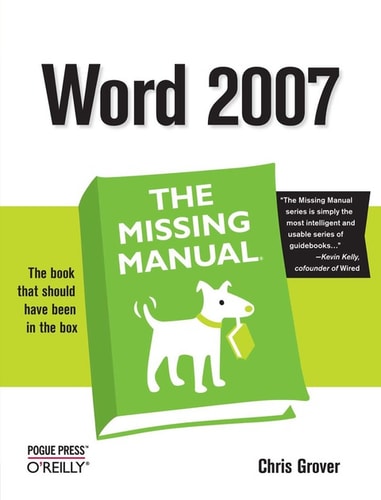
Word 2007
0
0
As an Amazon Associate and affiliate partner, Menrva Books earns from qualifying purchases. Learn more
Author Description
Microsoft Word has grown considerably in power, sophistication and capability over the past decade, but one thing that hasn't changed since the early '90s is its user interface. The simple toolbar in version 2.0 has been packed with so many features since then that few users know where to find them all. Consequently, more and more people are looking for "insider" tips that will allow them to use these advanced and often hidden features. Microsoft has addressed this problem in Word 2007 by radically redesigning the user interface with a tabbed toolbar that makes every feature easy to locate and use. Unfortunately, Microsoft's documentation is as scant as ever, so even though you will be able to find advanced features, you might not know what to do with them. Word 2007: The Missing Manual, written specifically for this version of the software, explains basics like how to create documents, enter and edit text, format, print, and fax. You will will also learn how to create sophisticated page layouts, insert forms and tables, use graphics, and create book-length documents with outlines and Master Documents. Coverage also includes how to share documents with other people and programs, create web pages, automate documents with fields, and automate tasks with macros and the Visual Basic scripting language. This book shows you how to do it all.
Menrva's Summary
THE THESIS
This book guides users through the significant interface changes and advanced features of Microsoft Word 2007. The author addresses the challenge of Microsoft's typically sparse documentation by providing comprehensive instructions on utilizing the software's full potential. It covers everything from basic document creation and text editing to sophisticated page layouts, graphics, and the automation of tasks through fields, macros, and Visual Basic scripting.
THE SCOPE MAP
- Creating documents, entering and editing text
- Formatting and printing documents
- Creating sophisticated page layouts
- Inserting forms and tables
- Using graphics effectively
- Creating book-length documents with outlines and Master Documents
- Sharing documents with other people and programs
- Creating web pages
- Automating documents with fields
- Automating tasks with macros and the Visual Basic scripting language
THE AUTHORITY PERSPECTIVE
The book is designed to assist users in navigating the redesigned interface of Word 2007, which introduced a tabbed toolbar to make features more accessible. It aims to bridge the gap left by Microsoft's documentation by explaining not only how to find advanced features but also how to effectively use them. The content progresses from fundamental operations to complex document creation and automation techniques, positioning it as a comprehensive resource for users seeking to master this version of the software.
Page Count:
522
Publication Date:
2006-12-21
Publisher:
O'Reilly Media, Inc.
ISBN-10:
0596513941
ISBN-13:
9780596513948
Non-Fiction
Software
How To
Reference
Community Tags
Other Editions(2)

Similar Books